Cable clutter creeps up on every workspace. Add a second monitor, a docking station, a desk lamp and a phone charger, and suddenly there is a tangle behind the desk and a cord stretched across the floor. Good cable management is not only about looks. It makes your space safer, protects your equipment and makes it far easier to change things later. This guide covers why it matters and how to do it, at home or in the office.
Why cable management matters
Safety
Loose cords across walkways are a classic trip hazard, and cables that are pinched, crushed or frayed can become an electrical risk. Routing cables out of foot traffic and away from moving parts helps keep everyone safer, which is especially important in shared offices and homes with kids or pets.
Protecting your cables and gear
Cables that are stepped on, rolled over by chair casters or yanked when a desk rises tend to fail early. Damage can cause flickering screens, dropped connections and slow data transfer before it causes an outright failure. Supporting cables properly reduces wear and keeps connectors from being strained.
Airflow and heat
A dense nest of wires behind a computer, under a desk or around networking gear can trap heat. Keeping cables bundled and away from vents helps equipment breathe, which matters most for desktop towers, docks and anything running all day.
A cleaner, larger-feeling space
Organized cables make a desk look calm and professional, which is worth a lot if you take video calls. Clearing cords off the surface and floor also reclaims space, so the whole area feels bigger.
Easier changes and less frustration
When you can see which cable goes where, swapping a monitor, troubleshooting a connection or moving desks takes minutes instead of an afternoon. Many people also find a tidy workspace less distracting and easier to focus in.
Plan before you tidy
Before buying anything, take stock:
- Unplug and remove anything you no longer use. Old chargers and adapters are often half the mess.
- Map your devices. Note what sits on the desk, what sits under it and where the outlets and network ports are.
- Measure cable lengths. Overly long cables create loops; replacing a few with shorter ones can make a big difference.
- Think about movement. If you have a sit-stand desk or monitor arms, cables need enough slack to travel the full range without pulling.
Practical cable management tips
Use an under-desk tray or basket
A cable tray or mesh basket mounted under the desk is the backbone of a tidy setup. It holds power strips, adapters and excess cable off the floor and out of sight. Humanscale's NeatTech, for example, is a lightweight mesh basket with hook-and-loop straps that secure cords neatly under the work surface. Look for trays that are easy to install and large enough for a power strip.
Add a cable spine for sit-stand desks
A vertical cable spine or chain gathers cords from the desk to the floor and flexes as the desk moves up and down. It prevents cables from dangling and keeps them from snagging on the frame.
Bundle with ties and wraps
Reusable hook-and-loop ties are inexpensive and easy to adjust. Group cables that travel the same route, such as a monitor's power and video cables, and secure them every foot or so. Avoid cinching zip ties too tightly, which can damage insulation.
Use clips and channels on monitor arms
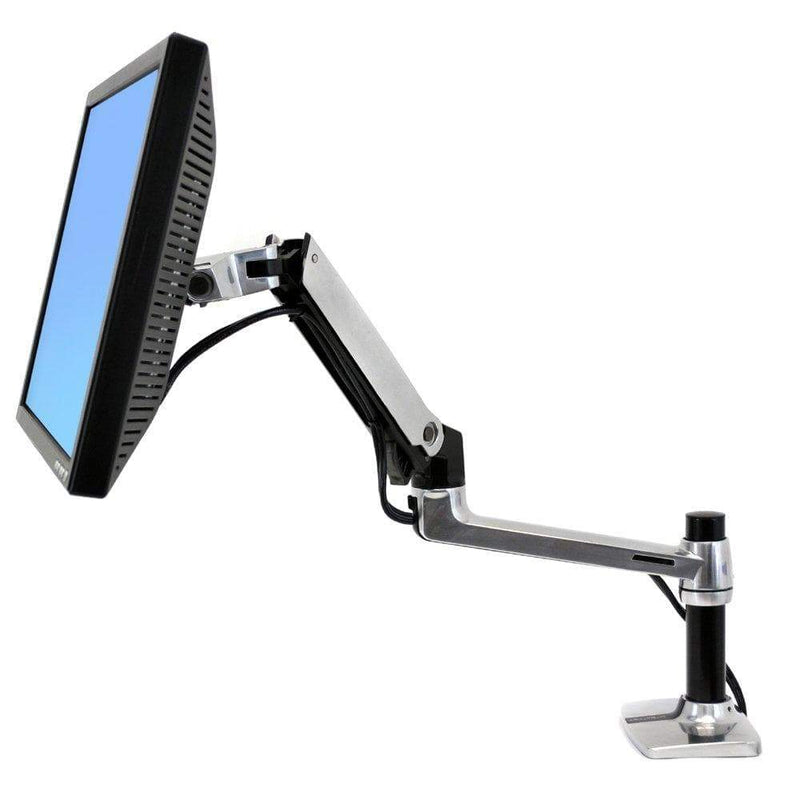
Most monitor arms include clips or covered channels. Route cables through them and leave a little slack at each joint so the arm can move freely.
Cover floor runs
If a cable must cross the floor, protect it with a floor cord cover. These low-profile ramps shield cables from foot and chair traffic and reduce trip risk. Better yet, reposition furniture or use a wall raceway so cables do not cross walkways at all.
Sleeve exposed bundles
Split cable sleeves wrap several cords into one neat run from the desk to the outlet. They can be cut to length and make a visible run look intentional.
Label everything
Tags or colored labels at both ends of each cable save time later. When you need to unplug one device, you will know exactly which cord to pull.
Mount the computer
Getting a desktop tower off the floor with a CPU holder keeps it away from dust and feet, and shortens cable runs to the desk.
Office and team spaces
In shared offices, consistency helps. Standardizing on the same trays, spines and labeling scheme for every workstation makes moves and IT support much simpler. Plan cable paths when desks are installed rather than after, and check that power and data reach each station without extension cords strung between desks. For larger rollouts, it is worth ordering cable management alongside the desks themselves.
Keep it tidy over time
Cable management is not a one-time project. Every few months, take five minutes to remove anything you no longer use, re-secure loose ties and check for damaged cables. Each time you add a device, route its cable properly right away instead of promising yourself you will do it later.
Get organized
A tidy setup is safer, easier to maintain and more pleasant to work at. Browse our cable management collection for trays, spines and organizers, explore Humanscale solutions, and consider a CPU holder to clear the floor. Outfitting an office? Request a quote for volume pricing. Every order ships free.